This project is still in progress. A Windows executable is available.
EzMerch is a desktop tool I am developing to simplify preparing artwork for merchandise(mostly stickers for now). It takes transparent PNG artwork through cropping, resizing, border generation, and export, with controls for physical dimensions and output resolution.
Artwork Preparation
- Automatically remove transparent margins around imported artwork.
- Resize artwork while preserving its aspect ratio and reserving space for borders.
- Generate adjustable dielines and white bleed borders.
- Export individual items or arrange multiple stickers on a kiss-cut sheet.
- Work in pixels or millimeters with configurable DPI.
- Save flattened PNG images or layered RGB PSD files.
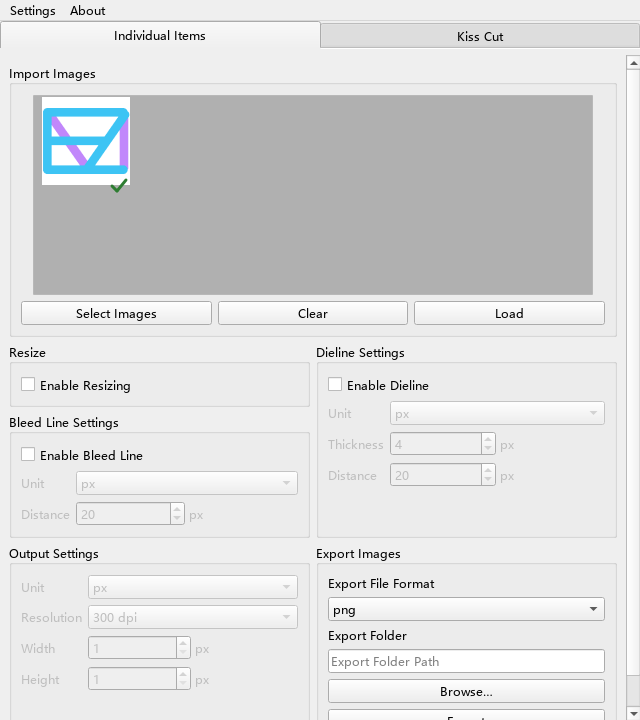
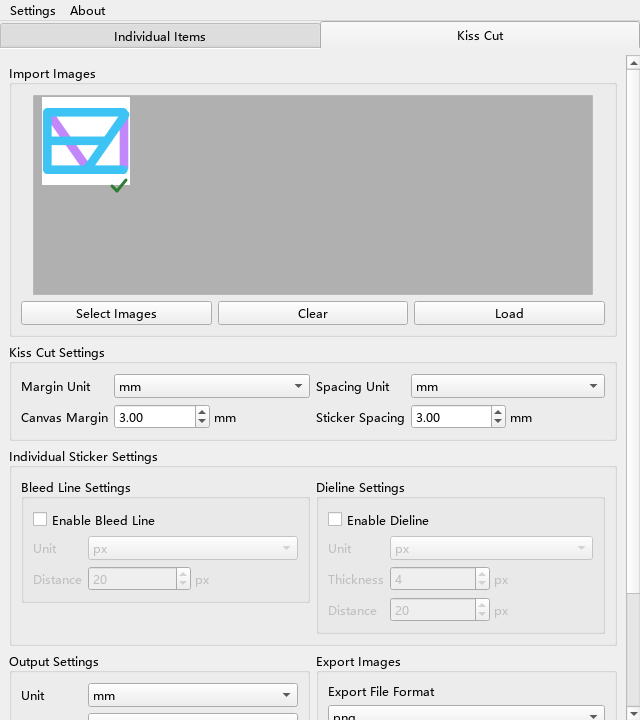
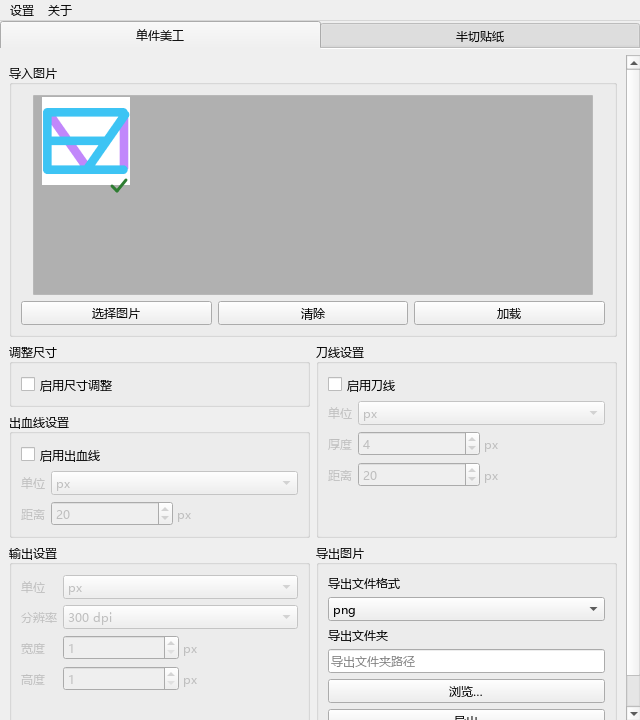
Architecture Design
I separated the interface, processing workflow, image operations, and output representation so that UI code does not need to implement image processing or file-format details.
| Component | Responsibility |
|---|---|
Presenter |
Reads UI settings, handles user actions, and starts background load/export operations. |
Processor |
Owns loaded entities and processing settings, coordinates individual or sheet exports, and reports batch successes and failures. |
Entity |
Represents one artwork image, crops its transparent margins, and generates and caches its base, dieline, and bleed layers. |
Document |
Stores output dimensions, named folders, and ordered layers; composites layers when a flattened image is needed. |
| File I/O | Loads images and serializes a document as PNG or PSD. |
The export flow is:
UI → Presenter → Processor → Entity layers
                          → Document → PNG / PSD writer
Coordinating Processing
Processor provides a common entry point for loading images and exporting either individual items or a combined sheet. It passes output, dieline, and bleed settings to each Entity, requests the selected layers, and assembles the resulting Document. Batch results keep successful and failed paths separate, allowing the interface to report partial success.
The presenter runs loading and exporting through an OperationWorker on a Qt QThread. Workers return results through signals, while widget updates stay in the UI thread. Controls are disabled during processing to prevent overlapping operations or changes to the active settings.
Layered Documents and File Saving
Document is the intermediate output representation. Each artwork item becomes a named folder containing its requested layers, ordered as base artwork, dieline, and bleed. This keeps the output structure independent of the selected file format.
For PNG, Document.flatten() composites the layers from bottom to top using alpha blending, retaining transparent areas. The file writer converts the pixel channel order and saves the image with DPI metadata through Pillow.
For PSD, the writer uses psd-tools to preserve the folders and individual layers and records the output resolution. The current PSD export supports RGB; CMYK output is not implemented.
Image Processing
Cropping and Resizing
On import, an Entity finds the bounding box of pixels with nonzero alpha and removes the surrounding transparent margins. Completely transparent images are rejected. When resizing is enabled, the image is uniformly scaled to fit the available area and centered on a transparent canvas.
Before resizing, the required padding is calculated from the enabled borders. This leaves room for the bleed and dieline instead of clipping them at the canvas edges. Millimeter measurements are converted to pixels using the selected DPI.
Generated layers are cached within each entity. Changes to processing settings, the requested elements, or the resize mode invalidate the cached result so it can be recalculated.
White Bleed Border
I generate the white border from a binary mask of the base image’s alpha channel. An elliptical morphological dilation expands the mask by the configured distance. The expanded mask becomes the alpha channel of a white layer placed underneath the artwork.
This is a white border around the artwork; it does not extend the artwork’s colors into the bleed area.
Dieline Generation
The dieline starts from the same alpha mask:
- Dilate the mask with an elliptical kernel to establish the distance from the artwork.
- Apply a 5 × 5 Gaussian blur and threshold the result to smooth the expanded silhouette.
- Extract external contours with OpenCV.
- Draw the contours as a black stroke with configurable thickness and antialiasing, followed by a median filter.
The result is a separate raster layer, which remains independently editable in PSD output. Further smoothing and noise reduction are still on the roadmap.
Kiss-Cut Sheet Layout
The current layout algorithm enumerates possible column counts and calculates the square cell size available after sheet margins and sticker spacing. It chooses the largest cell size, breaking ties by minimizing empty cells. Each sticker is resized proportionally within its cell, and its layers are placed onto the shared sheet canvas.
This provides a simple automatic layout. Improving space usage beyond this grid search is a planned enhancement.
English and Chinese Interface Design
I designed the interface to support English and Simplified Chinese while keeping translation concerns separate from the processing core.
Shared Keys and Translation Dictionaries
UI strings live in UTF-8 JSON dictionaries, en_US.json and zh_CN.json. Both use shared semantic keys such as dieline.enable, so widgets ask for a meaning rather than embedding language-specific text.
I18n.tr() looks up a key in the active dictionary and substitutes named placeholders for dynamic messages. If a key is missing, it returns the key itself, making missing translations visible during development.
Switching Languages at Runtime
UiTranslations stores bindings between translation keys and widget setters. When a language is selected, the application loads its dictionary and calls retranslate_ui() across the window and its panels. Existing controls receive new text without rebuilding the window, preserving loaded artwork and current settings. The window also restores its scroll position after the layout updates.
Combo boxes store language-independent values, such as unit enums, separately from their displayed labels. Retranslation updates the labels while preserving those values. A QSignalBlocker prevents these text updates from triggering unrelated setting-change handlers.
Remembering the Preference
AppSettings persists the selected language in settings.ini using Qt’s QSettings. Startup restores that preference, with English as the default when the stored value is missing or invalid. A failed settings write is reported through the interface.
The core continues to work with enums, numeric settings, images, and batch results regardless of the selected language. This keeps the processing workflow shared between both interfaces.
Next Steps
- Provide packaged executables for macOS and Linux.
- Complete the command-line interface.
- Improve space usage in kiss-cut sheet layouts.
- Refine smoothing and noise reduction for dielines and bleed borders.