This project is still in progress
At the current stage, this project focuses on exploring and prototyping stylized rendering techniques for a third-person shooting game.
Stylized Shader
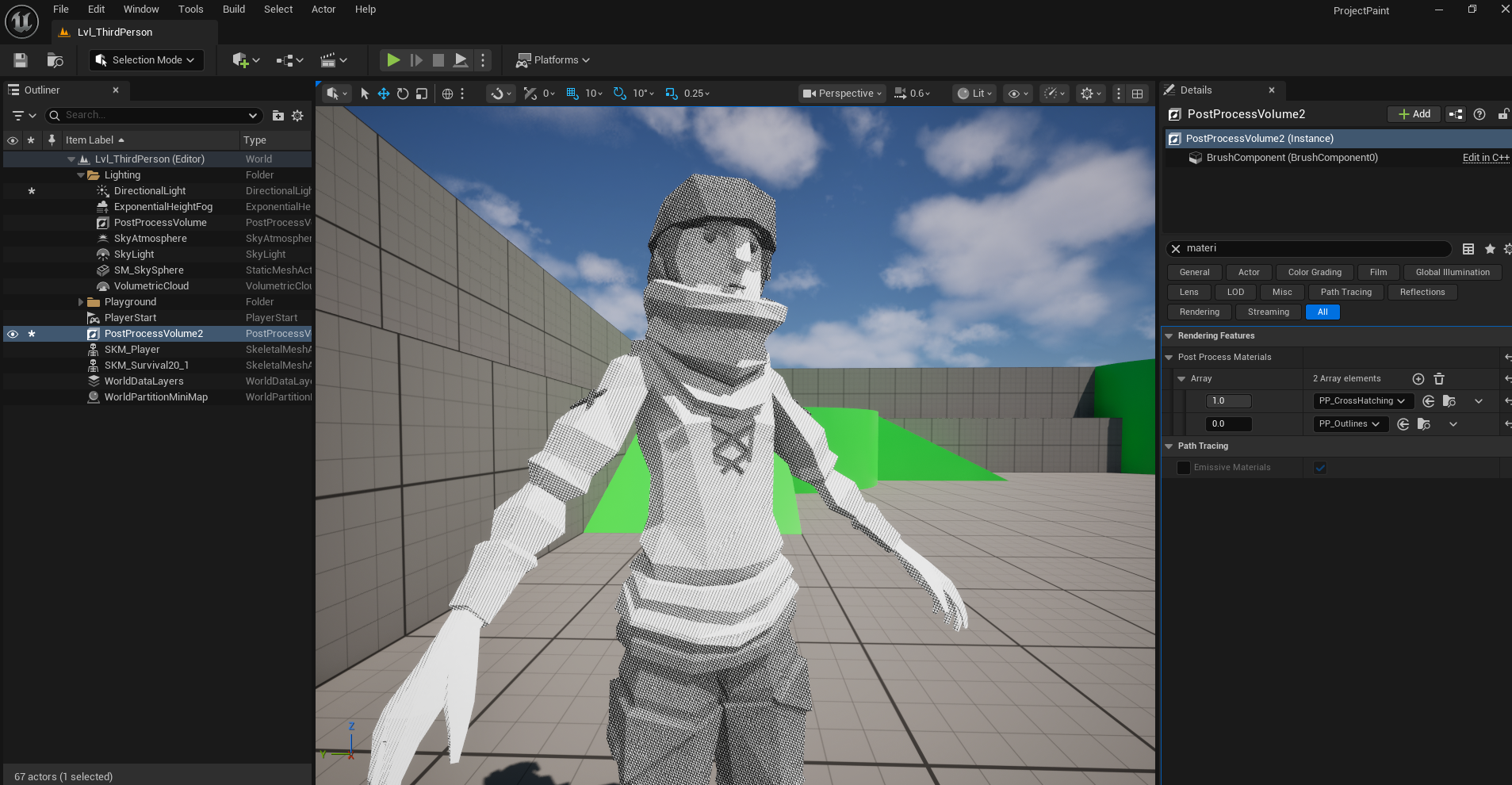
Cross Hatching Lines
I implemented a post-processing cross-hatching shader to create a hand-drawn, sketch-like effect. The shader overlays dynamically generated hatching lines based on scene lighting and tonal values, mimicking traditional pencil or ink shading.
To maintain visual clarity and artistic control, I use the custom stencil buffer to selectively apply the effect only to specific actors, allowing the rest of the scene to remain clean or use different rendering styles.
I provide a detailed breakdown of the shader’s implementation, including the math, texture usage, and Unreal Engine material in the post Post-processing Cross Hatching Line Shader.
Kuwahara filter
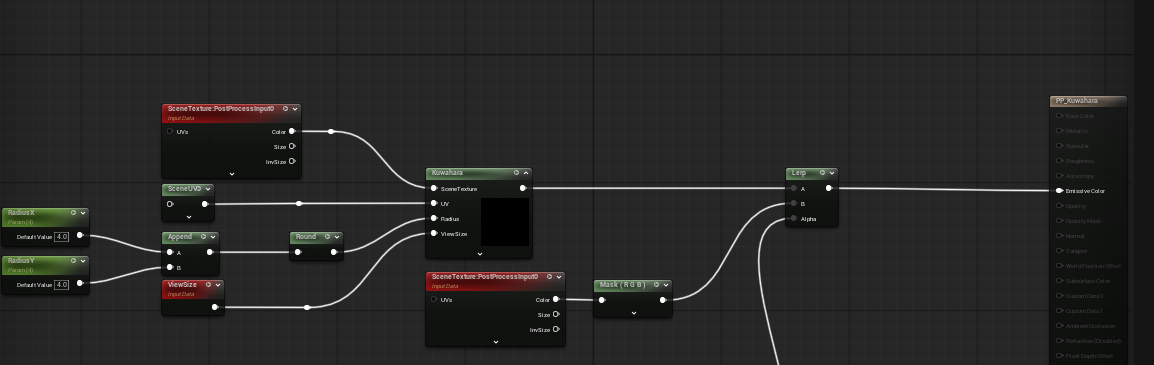
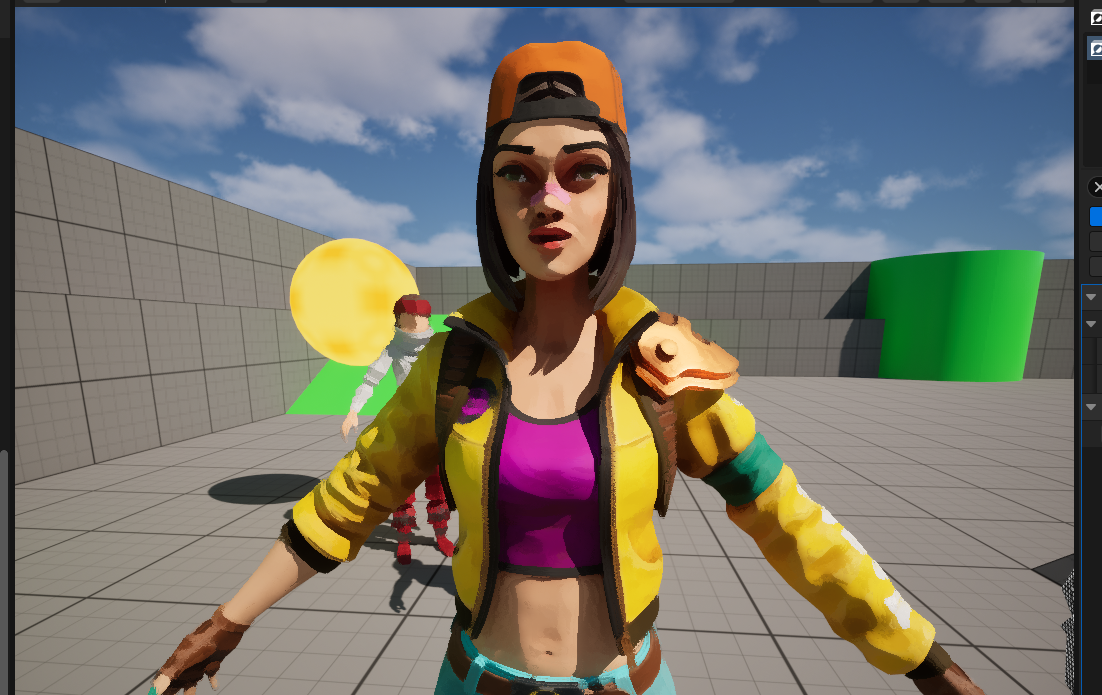
I also implemeted a post-processing Kuwahara filter to achieve painterly style look, following ue4 - tutorial - painterly post processing - kuwahara filter. The key hlsl code and shader nodes are showing below.
float3 mean[4] = {
    {0, 0, 0},
    {0, 0, 0},
    {0, 0, 0},
    {0, 0, 0}
};

float3 sigma[4] = {
    {0, 0, 0},
    {0, 0, 0},
    {0, 0, 0},
    {0, 0, 0}
};

float2 offsets[4] = {
    {-radius.x, -radius.y},
    {-radius.x, 0},
    {0, -radius.y},
    {0, 0}
};

float2 pos;
float3 color;

float gradientx = 0;
float gradienty = 0;

float sobelx[9] = {-1, -2, -1, 0, 0, 0, 1, 2 ,1};
float sobely[9] = {-1, 0, 1, -2, 0, 2, -1, 0, 1};

int index = 0;

float2 texelsize = 1.0/viewsize;

for(int x = -1; x <= 1; ++x){
    for(int y = -1; y <= 1; ++y){
        if(index == 4){
            ++index;
            continue;
        }

        float2 offset = float2(x, y) * texelsize;
        float3 pxcolor = scenetexturelookup(uv + offset, 14, false).xyz;
        float pxlum = dot(pxcolor, float3(0.2126, 0.7152, 0.0722));

        gradientx += pxlum * sobelx[index];
        gradienty += pxlum * sobely[index];

        ++index;
    }
}

float angle = atan2(gradienty, gradientx);

float s = sin(angle);
float c = cos(angle);


for(int i = 0; i < 4; ++i){
    for(int j = 0; j <= radius.x; ++j){
        for(int k = 0; k <= radius.y; ++k){
            pos = float2(j, k) + offsets[i];
            float2 offs = pos * texelsize;
            offs = float2(offs.x * c - offs.y * s, offs.x * s + offs.y * c);
            float2 uvpos = uv + offs;

            color = scenetexturelookup(uvpos, 14, false);

            mean[i] += color;
            sigma[i] += color * color;
        }
    }
}

float n = (radius.x + 1) * (radius.y + 1);
float sigma_f;

float min = 1;

for(int i = 0; i < 4; ++i){
    mean[i] /= n;
    sigma[i] = abs(sigma[i] / n - mean[i] * mean[i]);
    sigma_f = sigma[i].r + sigma[i].g + sigma[i].b;

    if(sigma_f < min){
        min = sigma_f;
        color = mean[i];
    }
}

return color;
I may have a post to talk about the maths in details in the future.
Post-Processing Outlines
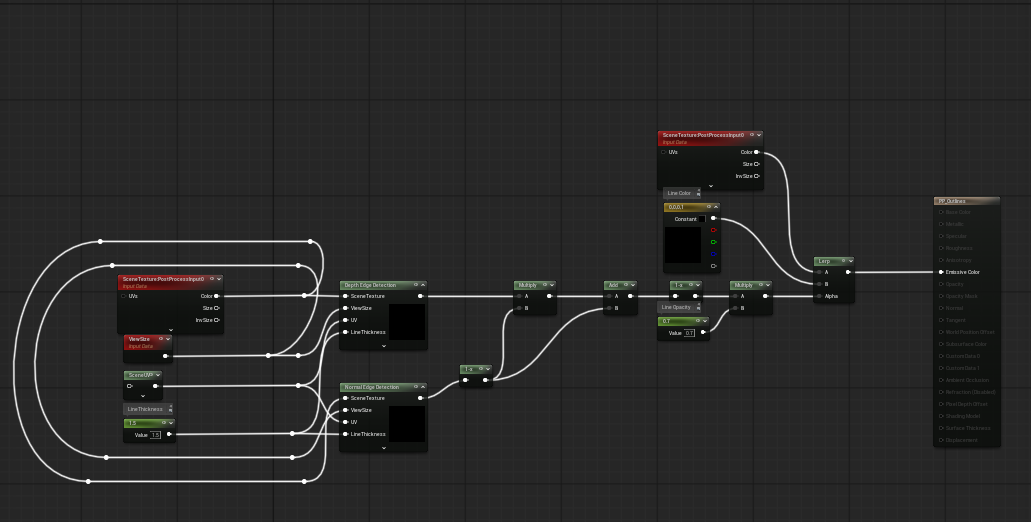
To get stable screen-space outlines, I implemented Sobel edge detection using both the Scene Depth buffer and World Normal in a post-process material.
The idea is simple:
- Depth edges catch object silhouettes and discontinuities in depth.
- Normal edges catch creases and surface changes even when depth is similar.
The key hlsl code and shader nodes are below.
// Depth based edge detection
float gradientX = 0;
float gradientY = 0;

float sobelX[9] = {-1, -2, -1, 0, 0, 0, 1, 2 ,1};
float sobelY[9] = {-1, 0, 1, -2, 0, 2, -1, 0, 1};

int index = 0;

float texelSize = LineThickness/ViewSize;

for(int x = -1; x <= 1; ++x){
    for(int y = -1; y <= 1; ++y){
        if(index == 4){
            ++index;
            continue;
        }

        float2 offset = float2(x, y) * texelSize;
        float pxColor = SceneTextureLookup(UV + offset, PPI_SceneDepth, false).r;
        pxColor = ConvertFromDeviceZ(pxColor);

        gradientX += pxColor * sobelX[index];
        gradientY += pxColor * sobelY[index];

        ++index;
    }
}

return length(float2(gradientX, gradientY));

// Normal based edge detection
float gradientX = 0;
float gradientY = 0;

float sobelX[9] = {-1, -2, -1, 0, 0, 0, 1, 2 ,1};
float sobelY[9] = {-1, 0, 1, -2, 0, 2, -1, 0, 1};

int index = 0;

float texelSize = LineThickness/ViewSize;

float3 currentNormal = SceneTextureLookup(UV, PPI_WorldNormal, false);

for(int x = -1; x <= 1; ++x){
    for(int y = -1; y <= 1; ++y){
        if(index == 4){
            ++index;
            continue;
        }

        float2 offset = float2(x, y) * texelSize;
        float pxNormal = SceneTextureLookup(UV + offset, PPI_WorldNormal, false).r;
        float diff = 1.0 - saturate(dot(currentNormal, pxNormal));

        gradientX += diff * sobelX[index];
        gradientY += diff * sobelY[index];

        ++index;
    }
}

float angle = 0;
if(abs(gradientX) > 0.001){
    atan(gradientY / gradientX);
}

return length(float2(gradientX, gradientY));
Meshes & Animations
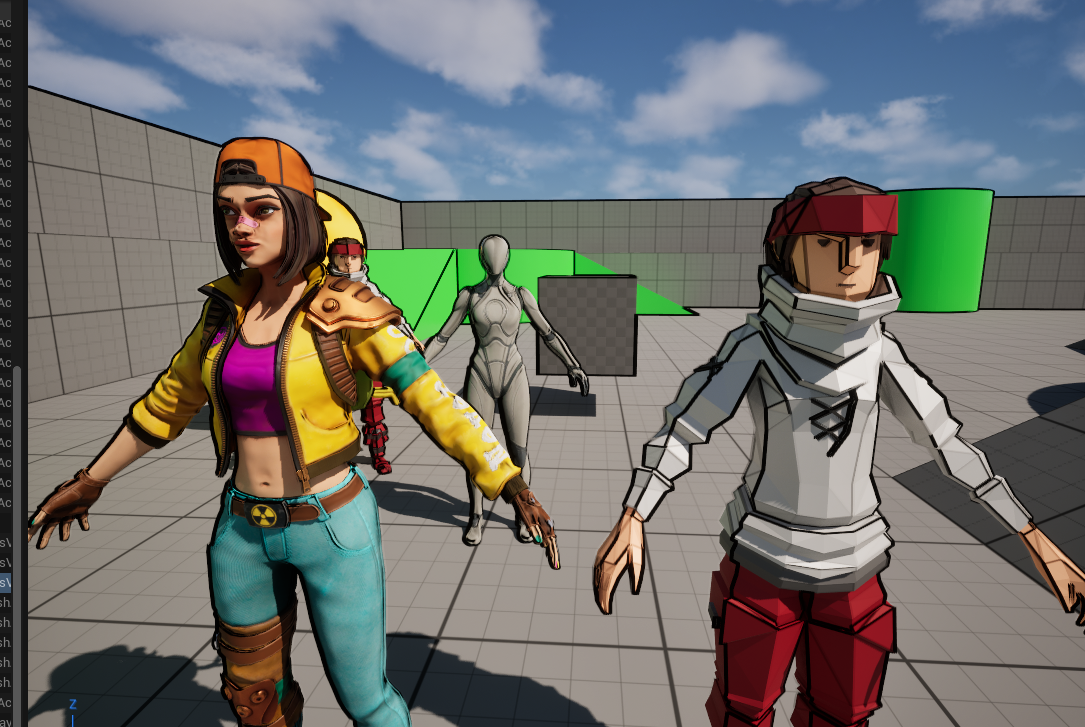
I retargeted the IK rig from the default Manny character to a custom model downloaded from Fab. Using this setup, I created an Animation Blueprint incorporating Blend Spaces and Aim Offsets to achieve smooth, responsive character movement and aiming animations.
Framework
Gameplay Ability System
Gameplay Ability System (GAS) is used to implement core gameplay architecture, including attributes, abilities, and their interactions. GAS provides a modular and data-driven foundation for managing character statistics, ability activation, and gameplay effects in a scalable and network-ready manner.