This project is still in progress
My Responsibilities
Lead Programmer
- Designed and led discussion on the core gameplay.
- Developed the base project architecture in Unity.
- Integrated VR device input using the OpenXR plugin, XR Interaction Toolkit, and other XR packages.
Graphics Programmer
- Integrated and implemented visual effects.
- Designed the custom rendering pipeline.
- Created the toon shading system.
- Implemented post-processing edge detection for outlines.
- Added particle-based visual effects such as smoke and fire.
Rendering Features
Toon Shading
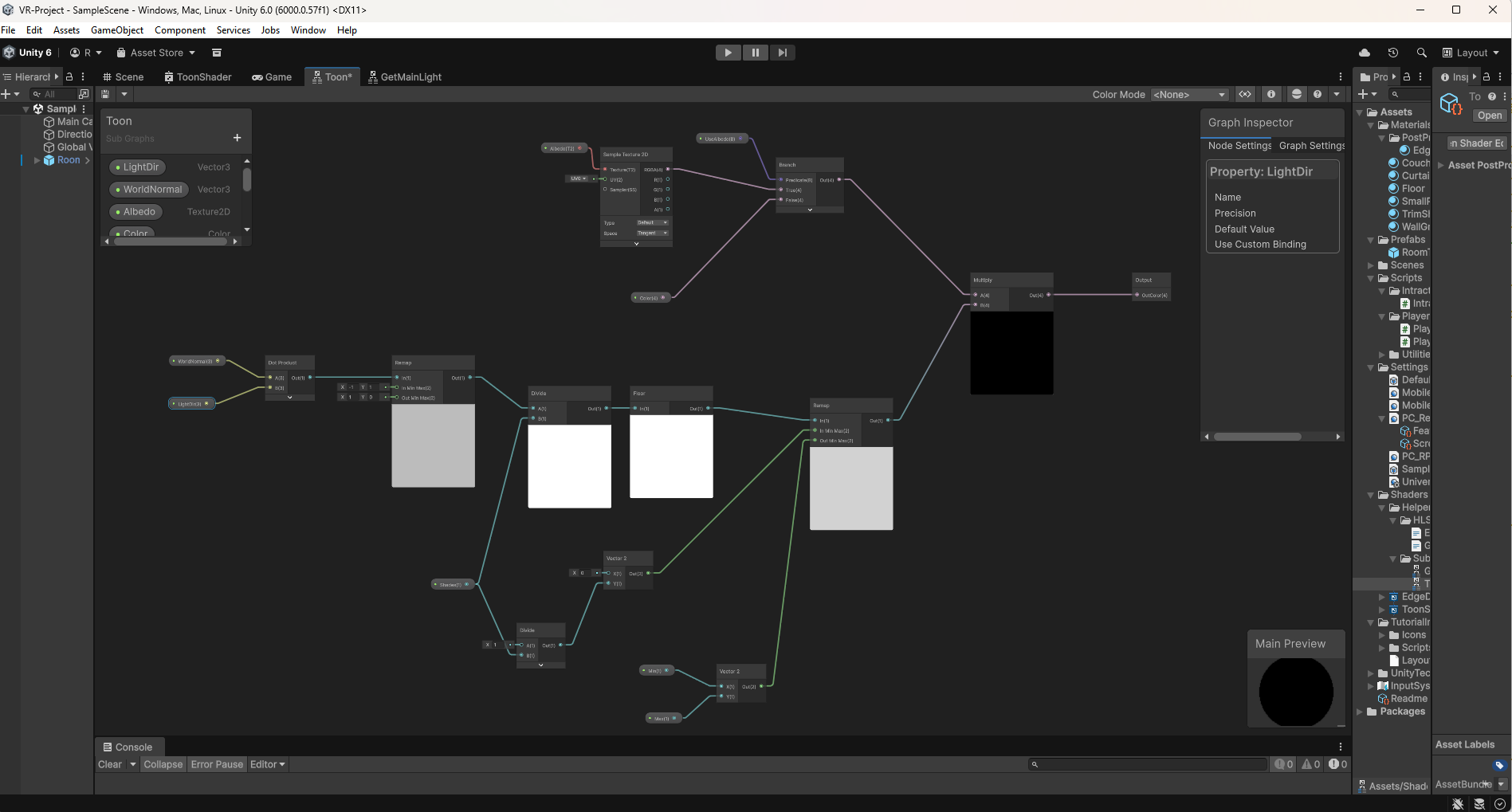
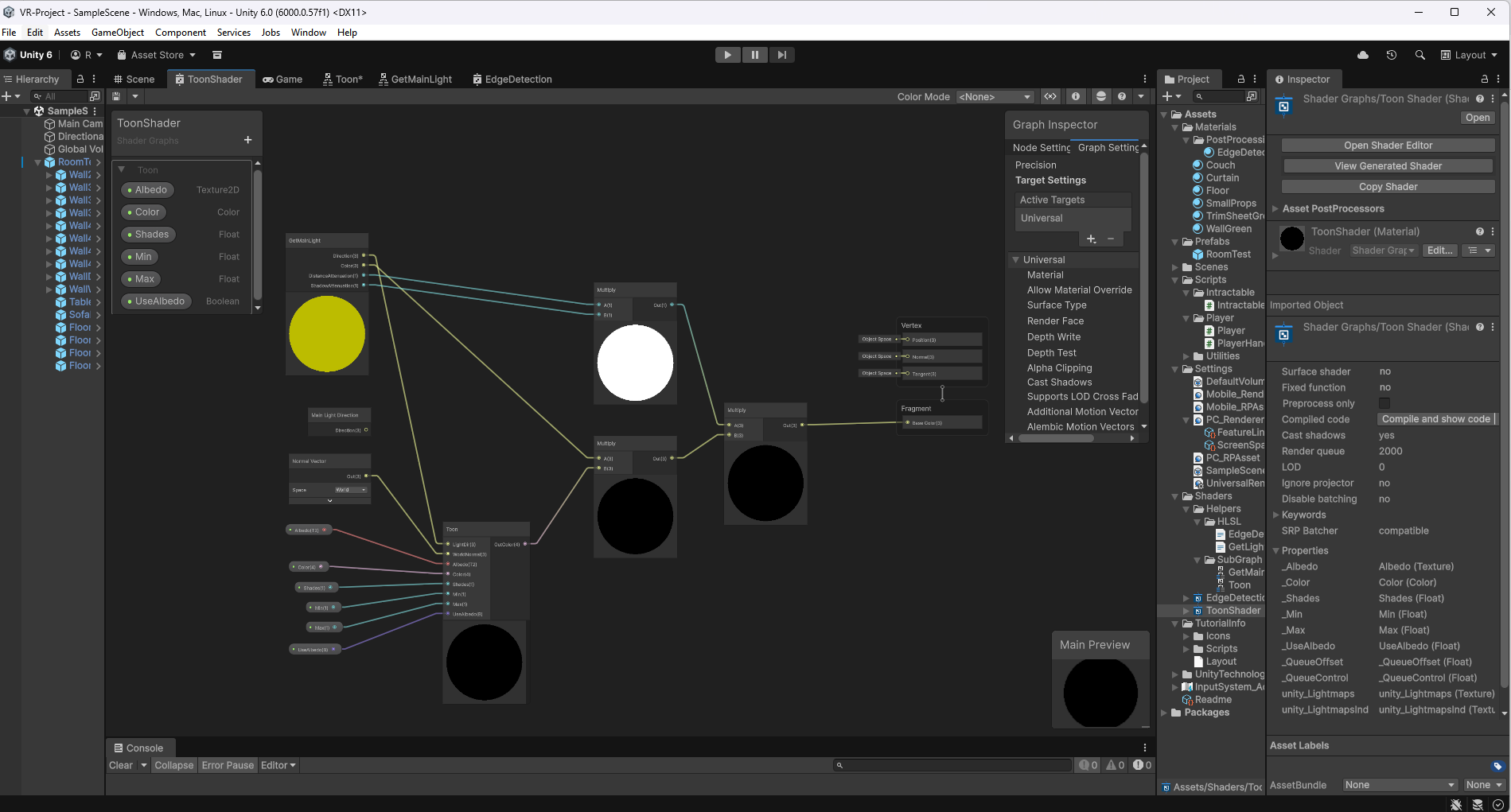
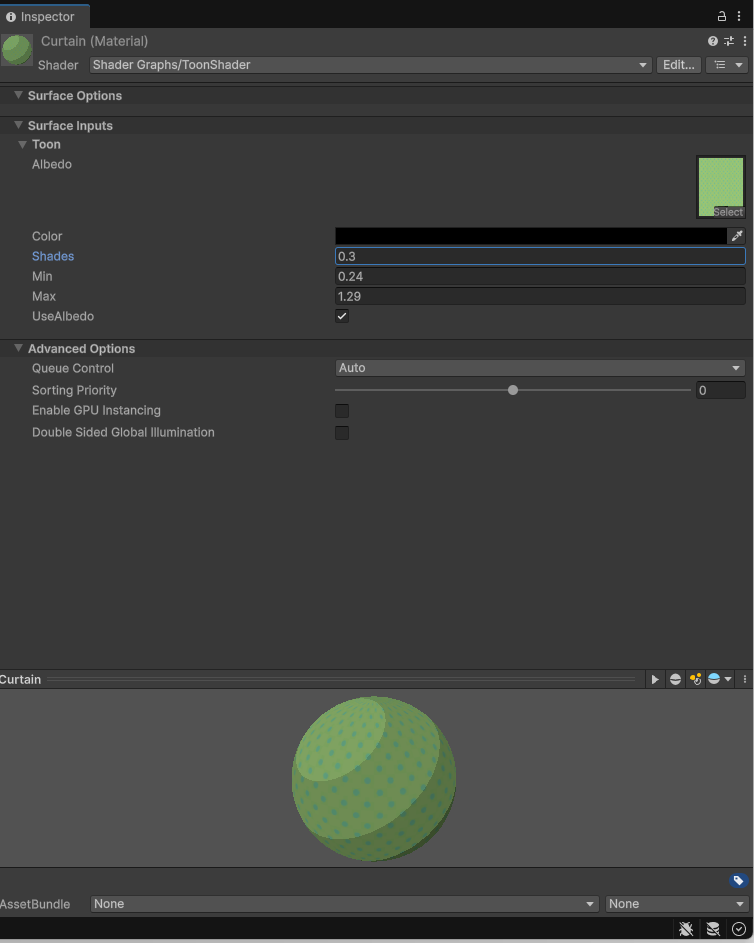
I designed a toon shader using Unity’s Universal Render Pipeline (URP) with Shader Graph.
The shader supports both base color and albedo texture inputs, providing flexibility for different art styles.
Unlike traditional unlit toon shaders (which ignore light direction), my implementation computes shading using the dot product between world normals and the light direction, allowing the toon shading to respond dynamically to lighting conditions.
Edge Detection
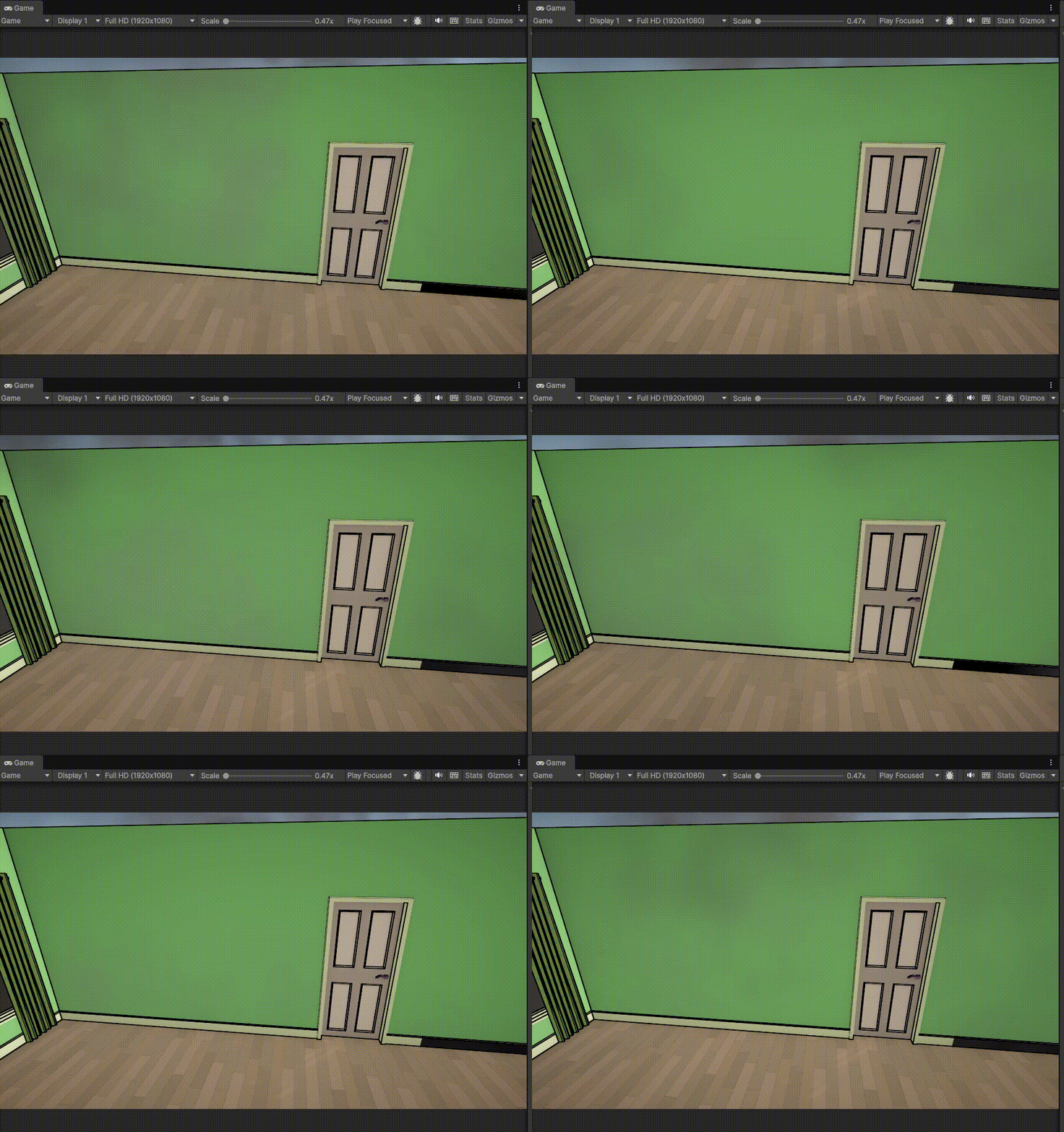
I developed a post-processing edge detection shader in HLSL, based on the Scharr Operator.
The shader combines both normal-based and depth-based outlines to produce clean, stable edges with minimal artifacts.
struct ScharrOperator
{
    float3x3 x;
    float3x3 y;
};

ScharrOperator GetEdgeDetectionKernels()
{
    ScharrOperator kernel;
    kernel.x = float3x3(-3, -10, -3,
                        0, 0, 0,
                        3, 10, 3);
    kernel.y = transpose(kernel.x);

    return kernel;
}

float LinearEyeDepth(float d)
{
    // Works for URP (handles reversed-Z)
    return 1.0f / (_ZBufferParams.z * d + _ZBufferParams.w);
}

float BilateralDepth3x3(float2 uv, float2 px)
{
    float dc = LinearEyeDepth(SampleSceneDepth(uv));
    float sum = 0.0f;
    float wsum = 0.0f;

    for (int i = -1; i <= 1; i++)
        for (int j = -1; j <= 1; j++)
        {
            float2 o = float2(i, j) * px;
            float di = LinearEyeDepth(SampleSceneDepth(uv + o));

            // small spatial kernel + range term keeps real edges
            float w_spatial = (i == 0 && j == 0) ? 0.204 : 0.123;
            float w_range = exp(-abs(di - dc) * 40.0); // tune 20–80
            float w = w_spatial * w_range;

            sum += di * w;
            wsum += w;
        }
    return sum / max(wsum, 1e-5);
}


void DepthBasedOutlines_float(float2 screenUV, float2 px, out float outlines)
{
    ScharrOperator kernel = GetEdgeDetectionKernels();
    float gx = 0;
    float gy = 0;

    for (int i = -1; i <= 1; i++)
    {
        for (int j = -1; j <= 1; j++)
        {
            if (i == 0 && j == 0)
                continue;

            float2 offset = float2(i, j) * px;
            float depth = BilateralDepth3x3(screenUV + offset, px);

            gx += depth * kernel.x[i + 1][j + 1];
            gy += depth * kernel.y[i + 1][j + 1];
        }
    }

    float g = sqrt(gx * gx + gy * gy);
    float z = LinearEyeDepth(SampleSceneDepth(screenUV));
    float gain = 1.0 / max(z, 1e-4);
    g *= gain;

    outlines = step(1.0f, g);
}

void NormalBasedOutlines_float(float2 screenUV, float2 px, out float outlines)
{
    ScharrOperator kernel = GetEdgeDetectionKernels();
    float gx = 0;
    float gy = 0;

    float3 currentNormal = normalize(SampleSceneNormals(screenUV));

    for (int i = -1; i <= 1; i++)
    {
        for (int j = -1; j <= 1; j++)
        {
            if (i == 0 && j == 0)
                continue;

            float2 offset = float2(i, j) * px;
            float3 normal = normalize(SampleSceneNormals(screenUV + offset));
            float diff = 1.0 - saturate(dot(currentNormal, normal));

            gx += diff * kernel.x[i + 1][j + 1];
            gy += diff * kernel.y[i + 1][j + 1];
        }
    }
    float g = sqrt(gx * gx + gy * gy);
    outlines = step(0.12, g);
}

#endif
VFX
Used Unity’s Particle System to implement realistic smoke and fire effects for the simulation environment.
These effects are triggered dynamically during the evacuation sequence to increase immersion.
VR Input System
Device Setup
The VR setup supports head tracking for camera movement and hand tracking for controller input using Unity’s XR components and the OpenXR runtime.
Custom Input Implementation
Instead of relying on the complex prefabs provided by XR packages, I created a lightweight custom input layer using Unity’s Input System.
This system handles only the essential interactions, such as trigger and grip presses, raycasting, and object interaction—making it more maintainable and easier to extend.